
 Lifestyle
 Food & Nutrition
 Fitness

If you’ve been searching for the right sitting positions for lower back pain, you’re not alone. Lower back pain is the most common reason people miss work worldwide, and for desk workers, it’s practically an occupational hazard. The good news is that how you sit matters enormously, and small adjustments to your posture and setup can make a significant difference in daily comfort.
Lower back pain affects an estimated 619 million people globally, and that number is climbing fast. For office workers who spend around two-thirds of their workday sitting, poor posture isn’t just uncomfortable, it’s cumulative damage. The research is clear: static sitting without proper support increases disc pressure, reduces lumbar lordosis, and overloads the muscles along your spine. But choosing the right sitting positions for lower back pain, combined with regular movement breaks, can dramatically reduce pain and prevent it from worsening.
This guide walks you through the best sitting positions for lower back pain relief at a desk, the ergonomic setup adjustments that matter most, and the simple movement habits that can cut your pain by more than half.
- 1 Why Sitting Causes Lower Back Pain
- 2 The Best Sitting Positions for Lower Back Pain
- 3 Ergonomic Desk Setup to Support Your Back
- 4 Movement Breaks: The Most Underrated Pain Reducer
- 5 How to Sit at a Desk with Sciatica
- 6 Common Sitting Mistakes That Make Back Pain Worse
- 7 Desk Stretches to Relieve Lower Back Tension
- 8 Ergonomic Tools Worth the Investment
- 9 Frequently Asked Questions
- 9.1 What is the best sitting position for lower back pain at a desk?
- 9.2 Is it better to sit or stand with lower back pain?
- 9.3 How should I sit at a desk if I have sciatica?
- 9.4 Can sitting position actually cause lower back pain?
- 9.5 How often should I take breaks from sitting to protect my lower back?
- 10 Conclusion
Why Sitting Causes Lower Back Pain

Sitting might seem passive, but for your lower back, it’s anything but. Poor sitting positions for lower back pain sufferers are a daily reality: when you sit in a slumped or forward-leaning position, your lumbar spine loses its natural inward curve (lordosis). This flattening increases pressure on the intervertebral discs, overworks the muscles along your spine, and places strain on the ligaments that support your vertebrae.
A scoping review of 22 studies involving nearly 8,000 participants found that poor sitting posture was linked to lower back pain in all seven studies that examined it directly. Sitting for long periods without movement was associated with back pain in 12 out of 13 studies. The pattern is consistent: it’s not just how long you sit, but how you sit and how rarely you move while doing it.
For people who work from home, the problem is often worse. Home setups rarely offer the same ergonomic support as office chairs, and remote workers tend to sit longer without the natural interruptions of office life. One study measuring sitting time with motion trackers found that remote workers exceeded 10 hours of daily sitting, a threshold where hip compensation and back strain become measurably worse.
The Best Sitting Positions for Lower Back Pain
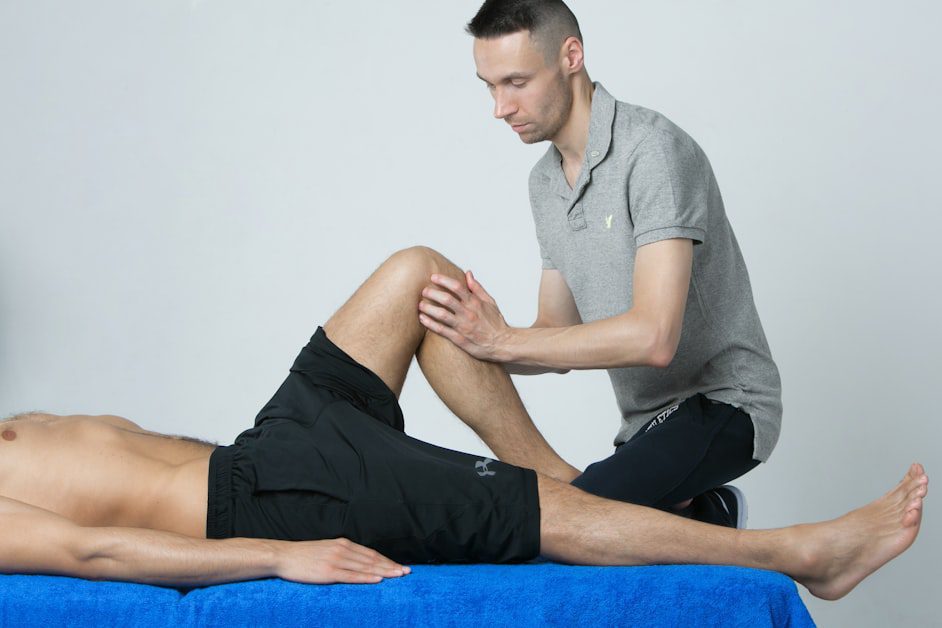
The gold standard among sitting positions for lower back pain, supported by recent biomechanics research, is called the off-loading posture. It combines a slight forward tilt of your seat pan with enhanced lumbar support to redistribute spinal load away from the discs and muscles most prone to overuse.
Here’s what this looks like in practice:
- Lumbar support: Position a lumbar cushion or use your chair’s built-in lumbar support so it rests at the curve of your lower back, roughly at belt level. This maintains the natural lordosis your spine needs.
- Seat tilt: Tilt your seat pan very slightly downward at the front (2-5 degrees). This shifts posterior pressure off the ischial bones, increases lumbar disc height, and reduces paraspinal muscle effort.
- Hip angle: Keep hips at 90 to 110 degrees, not crammed into a sharp right angle. A slight reclining angle of around 100 degrees is often more comfortable than sitting bolt upright.
- Feet flat: Both feet should rest flat on the floor. If they don’t reach, use a footrest. Having one leg crossed pulls the pelvis unevenly and is a significant driver of hip compensation and back strain.
- Knees at 90 degrees: Adjust chair height so your knees are level with or slightly below your hips.
This position reduces the load on your lumbar discs more than conventional “sit up straight” advice because it works with your spine’s natural geometry instead of against it.
Ergonomic Desk Setup to Support Your Back
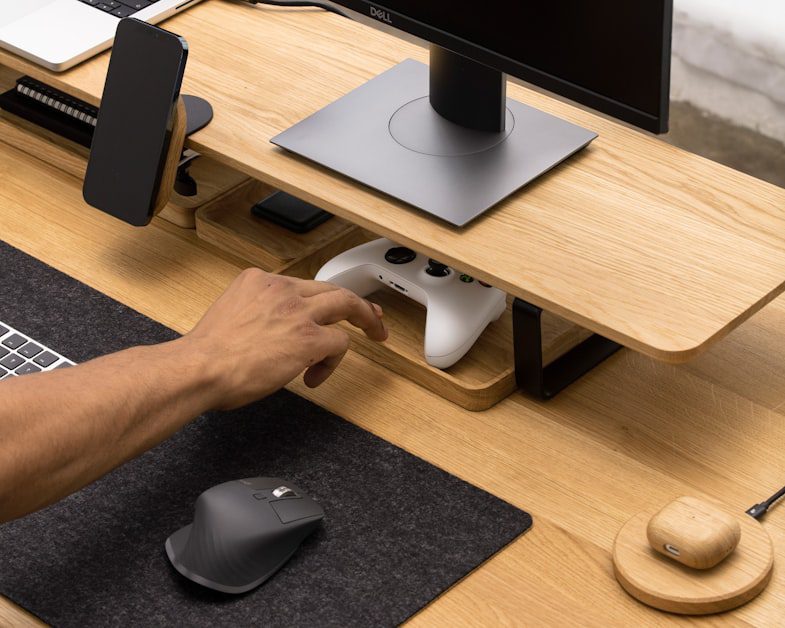
The sitting positions for lower back pain you adopt are only as effective as the setup they’re placed in. Even perfect posture breaks down quickly when your monitor is too high, your keyboard too far away, or your chair doesn’t support your natural spine curve.
Start with your monitor. The top of your screen should be at or just below eye level, roughly an arm’s length away. If your monitor is too low, you’ll hunch forward. If it’s too high, you’ll crane your neck and shift your weight back unevenly. For laptop users, a separate keyboard and laptop stand are worth every penny.
Your keyboard and mouse should sit close enough that your elbows are at roughly 90 degrees and your shoulders are relaxed, not pulled forward or hiked up. Reaching too far forward to type is one of the most common causes of the forward head and rounded shoulder posture that transfers load directly onto your lumbar spine.
Chair armrests, when adjusted to the right height, take strain off your shoulders and neck, which in turn reduces the compensatory tension that works its way down the back. Armrests should let your shoulders relax while supporting your forearms lightly.
Movement Breaks: The Most Underrated Pain Reducer

No sitting position for lower back pain relief, however well-executed, is good for you if you hold it without interruption for hours. Static sitting is the common thread in virtually every study linking desk work to back pain. The body needs movement to pump nutrients into spinal discs, reset muscle tension, and maintain circulation.
The Take-a-Stand Project, a workplace intervention study, found that reducing sitting time by just 66 minutes per day cut upper back and neck pain by 54 percent. Participants who stood or moved more throughout the day reported dramatically lower pain levels without any other changes to their workstations.
A practical rule: stand or move for 1 to 2 minutes every 20 to 30 minutes of sitting. You don’t need a sit-stand desk to do this. Getting up to refill your water, walking to a colleague instead of emailing, or doing a few standing stretches accomplishes the same thing. Try not to sit for more than 2 hours continuously without a posture shift or short walk.
Set a timer if you need reminding. Most people dramatically underestimate how long they’ve been sitting still. Once the habit is built, the timer becomes unnecessary, but in the early weeks it’s a genuinely useful tool.
How to Sit at a Desk with Sciatica
Sciatica changes what sitting positions for lower back pain work best. The pain radiates from the lower back through the buttock and down one leg, and it often has specific triggers at the desk. Jobs that combine prolonged sitting with whole-body vibration (think long drives or equipment use) carry a two to three times higher risk of sciatica. Even without vibration, awkward sitting positions that compress the sciatic nerve pathway can trigger or worsen symptoms.
If you have sciatica, the same off-loading principles apply, but pay extra attention to:
- Avoid sitting with a wallet or phone in your back pocket. This creates an uneven tilt in the pelvis that compresses the piriformis muscle, which sits near the sciatic nerve.
- Avoid crossing your legs. Even occasionally. Leg crossing rotates the pelvis and creates asymmetric pressure on the hip and lumbar region.
- Use a donut or coccyx cutout cushion if pressure on the tailbone or one side of the seat is aggravating your symptoms.
- Recline slightly. A 100 to 110 degree hip angle takes pressure off the nerve pathway more effectively than a strict upright 90-degree position.
If sciatica symptoms are new or worsening, consult a healthcare provider before relying on posture adjustments alone. Sciatica can occasionally signal a more serious disc issue that requires professional evaluation.
Common Sitting Mistakes That Make Back Pain Worse
Even people who know the right sitting positions for lower back pain fall into these habits, especially during busy or stressful workdays.
Slumping for extended periods is the most damaging pattern. When the lower back rounds outward and the chest collapses forward, the lumbar discs experience their highest pressure loads, and the small muscles supporting the spine fatigue quickly. Many people don’t notice they’ve slumped until they try to stand up and feel stiff.
Sitting without any breaks for four or more hours is the second most significant error. The research linking static sitting to back pain is some of the most consistent in occupational health literature. Even excellent posture can’t protect you if it’s held without relief for that long.
Sitting too far from the screen causes you to lean forward, rounding your upper back and pulling your lumbar spine out of alignment. Your monitor should be at arm’s length, not halfway across the desk.
Relying on a chair that provides no lumbar support. If your chair has no lumbar adjustment and you can’t add a cushion, place a rolled-up towel or small pillow at the curve of your lower back. It’s not glamorous but it works.
Ignoring footrest needs. If your feet are dangling or you’re tiptoeing to reach the floor, your pelvis tilts, and your lower back compensates. This is one of the easiest fixes with the most underappreciated impact.
Desk Stretches to Relieve Lower Back Tension
Movement breaks are most effective when they include at least a few targeted stretches. These can be done without leaving your desk area:
Seated spinal twist: Sit tall, place your right hand on your left knee, and gently rotate to the left. Hold for 20 to 30 seconds. Repeat on the other side. This releases rotational tension in the lumbar and thoracic spine.
Hip flexor stretch: Stand up and step one foot forward. Gently lower your back knee toward the floor in a half-kneeling position. Tuck your tailbone slightly and hold for 20 to 30 seconds. Tight hip flexors from prolonged sitting directly pull on the lumbar spine.
Standing cat-cow: Stand with feet hip-width apart and hands on your thighs. Arch your lower back gently, then round it, holding each position for a few breaths. This restores movement to the lumbar joints after static sitting.
Piriformis stretch: Sit in your chair, cross one ankle over the opposite knee, and gently press down on the raised knee while leaning forward slightly. Hold for 30 seconds per side. This targets the deep hip muscle most commonly tightened by desk sitting and often implicated in sciatica.
According to the National Institute of Arthritis and Musculoskeletal and Skin Diseases, staying active and maintaining movement throughout the day is one of the most evidence-supported strategies for managing chronic lower back pain. Regular stretching and movement breaks help maintain spinal flexibility and reduce the likelihood of pain becoming chronic.
Ergonomic Tools Worth the Investment
Not every ergonomic product justifies its price, but a few genuinely do change outcomes for desk workers trying to find sustainable sitting positions for lower back pain.
A quality lumbar support cushion is the highest-value purchase for most people. Memory foam or adjustable-tension options that can be positioned precisely at your lumbar curve are more effective than the fixed lumbar support built into most mid-range office chairs.
A sit-stand desk converter or full sit-stand desk allows you to shift between positions throughout the day without leaving your workstation. The research supports alternating between sitting and standing as more effective than standing all day, which creates its own postural problems. A ratio of around 50 to 60 percent sitting and 40 to 50 percent standing is a reasonable target.
An ergonomic chair with adjustable seat height, tilt, armrests, and lumbar support is the foundation of a proper desk setup. You don’t need to spend thousands, but chairs with no adjustment capability make good posture very difficult to maintain for extended periods.
The CDC’s National Institute for Occupational Safety and Health recommends workstation ergonomics assessments as part of occupational health programs precisely because the evidence for their effectiveness in reducing musculoskeletal disorders, including lower back pain, is strong.
Frequently Asked Questions
What is the best sitting position for lower back pain at a desk?
The best sitting position for lower back pain combines active lumbar support, a slight forward seat tilt, and a hip angle between 90 and 110 degrees. This off-loading posture reduces disc pressure, restores lumbar lordosis, and lowers the effort required from your paraspinal muscles compared to conventional upright sitting. Your feet should rest flat on the floor or on a footrest, and your knees should be at roughly a 90-degree angle. Keeping the screen at eye level and the keyboard close enough to avoid reaching forward completes the position. This isn’t about sitting rigidly, it’s about creating a neutral, supported position your spine can sustain for longer periods without fatigue.
Is it better to sit or stand with lower back pain?
Neither sitting nor standing all day is ideal for lower back pain. The most effective strategy is alternating between the two. Research shows that reducing sitting time by around 66 minutes per day through regular standing breaks can cut back and neck pain by more than 50 percent. However, standing for hours without movement creates its own strain on the hips, knees, and lower back. The goal is variation: sit for 20 to 30 minutes, stand briefly, move, then return to sitting. A sit-stand desk makes this easier, but scheduled standing breaks achieve the same result without special equipment.
How should I sit at a desk if I have sciatica?
If you have sciatica, your priority is avoiding positions that compress or irritate the sciatic nerve along its path through the lower back and hip. Don’t sit with a wallet or phone in your back pocket, as this creates pelvic asymmetry. Avoid crossing your legs. Use a lumbar support to maintain your spine’s natural curve, and consider a slight recline of 100 to 110 degrees rather than a strict upright posture. A coccyx cutout cushion can relieve pressure if one side of the seat is particularly uncomfortable. Taking regular movement breaks is especially important, as prolonged sitting is one of the main aggravators of sciatic pain. If symptoms are severe or new, see a healthcare provider before relying solely on postural adjustments.
Can sitting position actually cause lower back pain?
Yes, sitting position is one of the most consistently documented drivers of lower back pain in desk workers. Research shows that poor sitting posture was linked to lower back pain in every study that directly tested it. The mechanism is well understood: slumped or forward-leaning postures flatten the lumbar curve, increase disc pressure, and overload the small muscles and ligaments that support the spine. Over time, this cumulative load leads to inflammation, muscle fatigue, and the kind of chronic low-grade pain that many desk workers accept as normal but doesn’t have to be. Correcting your sitting position doesn’t guarantee instant pain relief, but it significantly reduces the mechanical load that’s sustaining the pain cycle.
How often should I take breaks from sitting to protect my lower back?
The research suggests taking a 1 to 2 minute movement break every 20 to 30 minutes of sitting for optimal spinal health. At minimum, avoid sitting continuously for more than 2 hours. The type of break matters too: simply shifting your weight or standing briefly counts, but a short walk or a few stretches is more effective. Setting a phone or computer timer is the most reliable way to build this habit. You can also use reminders built into apps like Stretchly or your smartwatch’s inactivity alerts. Over time, awareness of your body’s own signals, that creeping stiffness in the lumbar region, becomes a reliable natural reminder to get up and move.
Conclusion
Lower back pain at a desk isn’t inevitable. It’s largely the result of sitting in positions that work against your spine’s natural design, staying static for too long, and working in setups that make good posture hard to maintain. The research behind these problems is strong, and so is the evidence for the fixes.
Start with the fundamentals: get a lumbar support, adjust your seat height and tilt, bring your screen to eye level, and set a timer for movement breaks every 30 minutes. These changes don’t require expensive equipment or a complete office overhaul. Many of them can be implemented today.
If you’re already dealing with significant back pain, consider reading our guides on relieving lower back pain while sleeping, understanding the most common causes of back pain and how to treat them, and learning how to distinguish mechanical back pain from more serious conditions that need professional care. Building awareness across all these dimensions gives you the best foundation for lasting relief.
Small, consistent adjustments to how you sit and how often you move add up to a meaningful reduction in pain over weeks and months. Your back is built for movement, not stillness. Give it what it needs.
Medical Disclaimer: This content is for informational purposes only and does not constitute medical advice. Consult a qualified healthcare provider before making any health decisions.