


If you’ve been searching for good sitting positions for lower back pain, you’re not alone. Lower back pain is the most common reason people miss work worldwide, and for desk workers, it’s practically an occupational hazard. The good news is that how you sit matters enormously, and small adjustments to your posture and setup can make a significant difference in daily comfort.
Lower back pain affects an estimated 619 million people globally, and that number is climbing fast. For office workers who spend around two-thirds of their workday sitting, poor posture isn’t just uncomfortable, it’s cumulative damage. The research is clear: static sitting without proper support increases disc pressure, reduces lumbar lordosis, and overloads the muscles along your spine. But choosing the right sitting positions for lower back pain, combined with regular movement breaks, can reduce pain and keep it from building through the day.
This guide walks you through the best sitting positions for lower back pain relief at a desk, the ergonomic setup adjustments that matter most, and the simple movement habits that can cut your pain by more than half.
Why Sitting Causes Lower Back Pain

Sitting might seem passive, but for your lower back, it’s anything but. Poor sitting positions for lower back pain sufferers are a daily reality: when you sit in a slumped or forward-leaning position, your lumbar spine loses its natural inward curve (lordosis). This flattening increases pressure on the intervertebral discs, overworks the muscles along your spine, and places strain on the ligaments that support your vertebrae.
A scoping review of 22 studies involving nearly 8,000 participants found that poor sitting posture was linked to lower back pain in all seven studies that examined it directly. Sitting for long periods without movement was associated with back pain in 12 out of 13 studies. The pattern is consistent: it’s not just how long you sit, but how you sit and how rarely you move while doing it.
For people who work from home, the problem is often worse. Home setups rarely offer the same ergonomic support as office chairs, and remote workers tend to sit longer without the natural interruptions of office life. One study measuring sitting time with motion trackers found that remote workers exceeded 10 hours of daily sitting, a threshold where hip compensation and back strain become measurably worse.
Good Sitting Positions for Lower Back Pain

The gold standard among sitting positions for lower back pain, supported by recent biomechanics research, is called the off-loading posture. It combines a slight forward tilt of your seat pan with enhanced lumbar support to redistribute spinal load away from the discs and muscles most prone to overuse.
Here’s what this looks like in practice:
- Lumbar support: Position a lumbar cushion or use your chair’s built-in lumbar support so it rests at the curve of your lower back, roughly at belt level. This maintains the natural lordosis your spine needs.
- Seat tilt: Tilt your seat pan very slightly downward at the front (2-5 degrees). This shifts posterior pressure off the ischial bones, increases lumbar disc height, and reduces paraspinal muscle effort.
- Hip angle: Keep hips at 90 to 110 degrees, not crammed into a sharp right angle. A slight reclining angle of around 100 degrees is often more comfortable than sitting bolt upright.
- Feet flat: Both feet should rest flat on the floor. If they don’t reach, use a footrest. Having one leg crossed pulls the pelvis unevenly and is a significant driver of hip compensation and back strain.
- Knees at 90 degrees: Adjust chair height so your knees are level with or slightly below your hips.
This position reduces the load on your lumbar discs more than conventional “sit up straight” advice because it works with your spine’s natural geometry instead of against it.
Ergonomic Desk Setup to Support Your Back
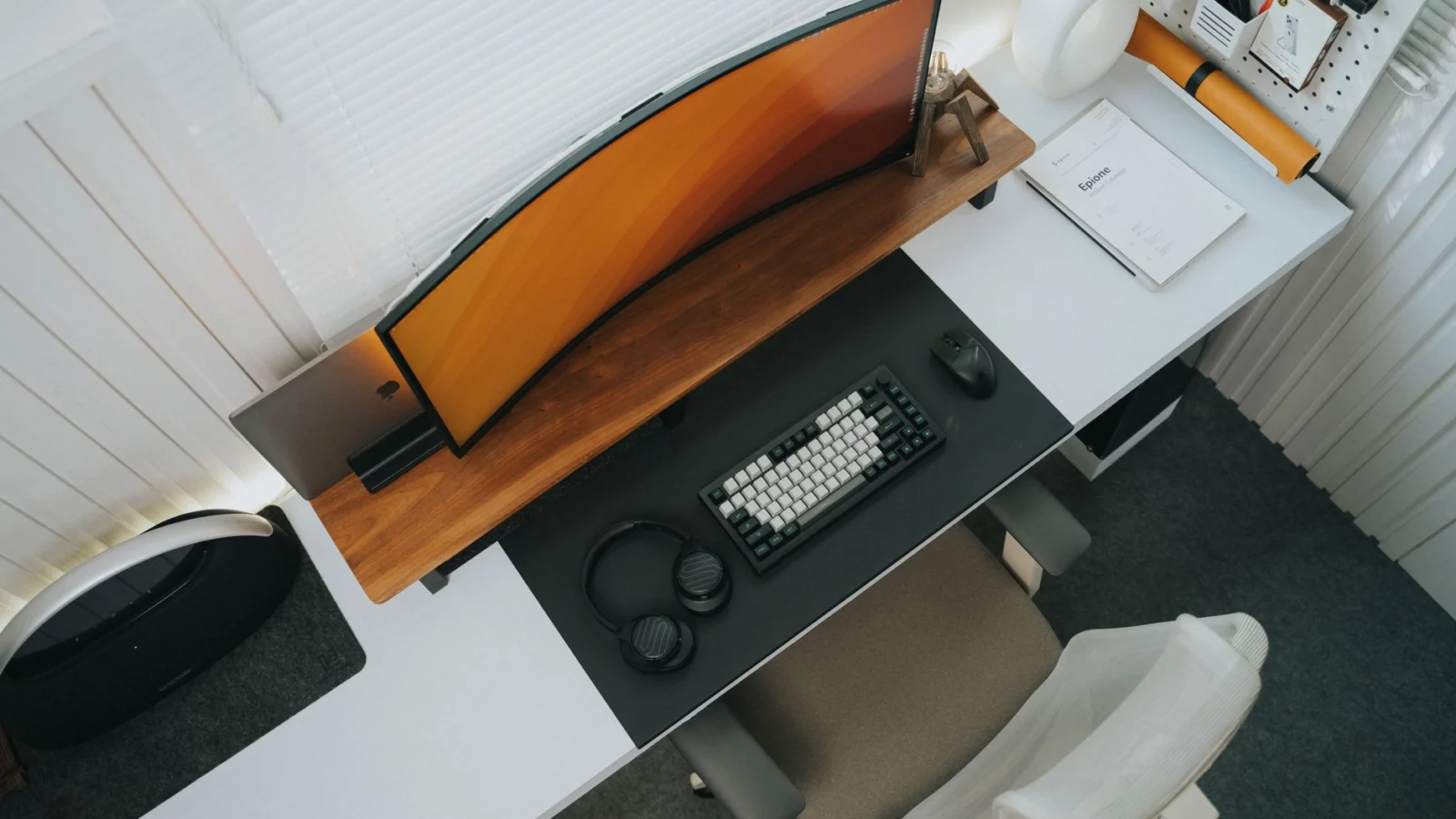
The sitting positions for lower back pain you adopt are only as effective as the setup they’re placed in. Even perfect posture breaks down quickly when your monitor is too high, your keyboard too far away, or your chair doesn’t support your natural spine curve.
Start with your monitor. The top of your screen should be at or just below eye level, roughly an arm’s length away. If your monitor is too low, you’ll hunch forward. If it’s too high, you’ll crane your neck and shift your weight back unevenly. For laptop users, a separate keyboard and laptop stand are worth every penny.
Your keyboard and mouse should sit close enough that your elbows are at roughly 90 degrees and your shoulders are relaxed, not pulled forward or hiked up. Reaching too far forward to type is one of the most common causes of the forward head and rounded shoulder posture that transfers load directly onto your lumbar spine.
Chair armrests, when adjusted to the right height, take strain off your shoulders and neck, which in turn reduces the compensatory tension that works its way down the back. Armrests should let your shoulders relax while supporting your forearms lightly.
Movement Breaks: The Most Underrated Pain Reducer
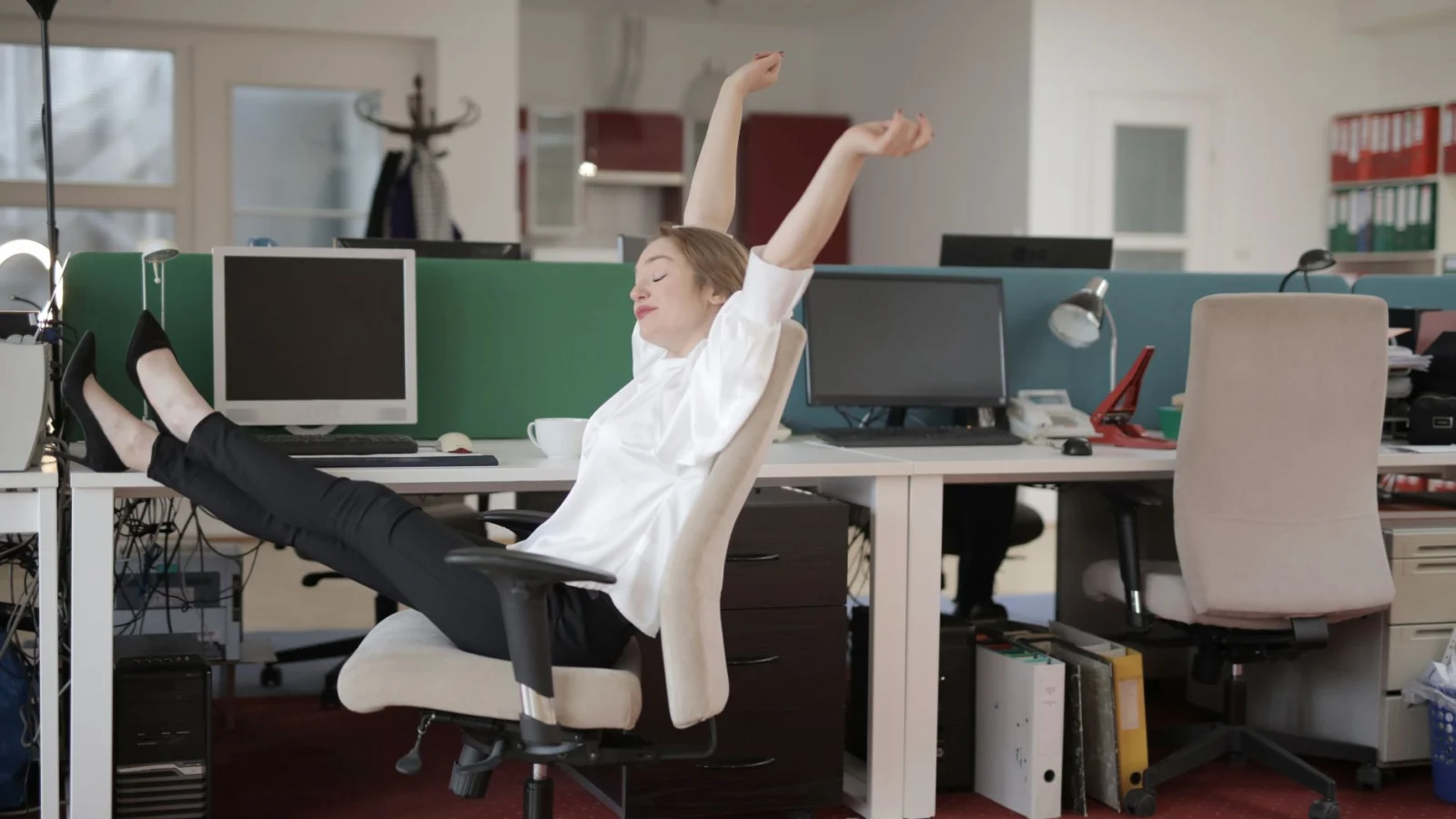
No sitting position for lower back pain relief, however well-executed, is good for you if you hold it without interruption for hours. Static sitting is the common thread in virtually every study linking desk work to back pain. The body needs movement to pump nutrients into spinal discs, reset muscle tension, and maintain circulation.
The Take-a-Stand Project, a workplace intervention study, found that reducing sitting time by just 66 minutes per day cut upper back and neck pain by 54 percent. Participants who stood or moved more throughout the day reported dramatically lower pain levels without any other changes to their workstations.
A practical rule: stand or move for 1 to 2 minutes every 20 to 30 minutes of sitting. You don’t need a sit-stand desk to do this. Getting up to refill your water, walking to a colleague instead of emailing, or doing a few standing stretches accomplishes the same thing. Try not to sit for more than 2 hours continuously without a posture shift or short walk.
Set a timer if you need reminding. Most people dramatically underestimate how long they’ve been sitting still. Once the habit is built, the timer becomes unnecessary, but in the early weeks it’s a genuinely useful tool.
How to Sit at a Desk with Sciatica
Sciatica changes what sitting positions for lower back pain work best. The pain radiates from the lower back through the buttock and down one leg, and it often has specific triggers at the desk. Jobs that combine prolonged sitting with whole-body vibration (think long drives or equipment use) carry a two to three times higher risk of sciatica. Even without vibration, awkward sitting positions that compress the sciatic nerve pathway can trigger or worsen symptoms.
If you have sciatica, the same off-loading principles apply, but pay extra attention to:
- Avoid sitting with a wallet or phone in your back pocket. This creates an uneven tilt in the pelvis that compresses the piriformis muscle, which sits near the sciatic nerve.
- Avoid crossing your legs. Even occasionally. Leg crossing rotates the pelvis and creates asymmetric pressure on the hip and lumbar region.
- Use a donut or coccyx cutout cushion if pressure on the tailbone or one side of the seat is aggravating your symptoms.
- Recline slightly. A 100 to 110 degree hip angle takes pressure off the nerve pathway more effectively than a strict upright 90-degree position.
If sciatica symptoms are new or worsening, consult a healthcare provider before relying on posture adjustments alone. Sciatica can occasionally signal a more serious disc issue that requires professional evaluation.
Common Sitting Mistakes That Make Back Pain Worse
Even people who know the right sitting positions for lower back pain fall into these habits, especially during busy or stressful workdays.
Slumping for extended periods is the most damaging pattern. When the lower back rounds outward and the chest collapses forward, the lumbar discs experience their highest pressure loads, and the small muscles supporting the spine fatigue quickly. Many people don’t notice they’ve slumped until they try to stand up and feel stiff.
Sitting without any breaks for four or more hours is the second most significant error. The research linking static sitting to back pain is some of the most consistent in occupational health literature. Even excellent posture can’t protect you if it’s held without relief for that long.
Sitting too far from the screen causes you to lean forward, rounding your upper back and pulling your lumbar spine out of alignment. Your monitor should be at arm’s length, not halfway across the desk.
Relying on a chair that provides no lumbar support. If your chair has no lumbar adjustment and you can’t add a cushion, place a rolled-up towel or small pillow at the curve of your lower back. It’s not glamorous but it works.
Ignoring footrest needs. If your feet are dangling or you’re tiptoeing to reach the floor, your pelvis tilts, and your lower back compensates. This is one of the easiest fixes with the most underappreciated impact.
Lower Back Rotational Stretch: The Foundation Move

The lower back rotational stretch is the single most recommended stretch for back pain from sitting across Mayo Clinic, NIH, and physical therapy guidelines. It targets the lumbar rotators and lateral stabilizers that stiffen during prolonged sitting.
How to do it: Lie on your back with both knees bent and feet flat on the floor. Keeping your shoulders pressed into the ground, slowly roll both knees to the right side until you feel a gentle stretch through your lower back and left hip. Hold for 5 to 10 seconds. Return to center and repeat on the left side. Do 2 to 3 repetitions per side.
This stretch is safe for most people, including those recovering from acute back pain episodes. The Mayo Clinic recommends doing it twice daily, morning and evening, as part of a consistent routine. The rotation component is particularly effective because desk sitting locks the lumbar spine into a sagittal plane (forward and back only), and rotation restores the lateral mobility that prevents stiffness from compounding over days and weeks.
The sitting positions and desk setup above cover the ergonomic side of the equation, which pairs directly with these stretches.
Stretches for Back Pain from Sitting You Can Do at Your Desk

Not every stretch requires lying on the floor. Several effective stretches for back pain from sitting can be done right in your office chair, which makes them far more likely to actually happen during the workday.
Seated lower back rotation: Sit upright in your chair. Cross your right leg over your left. Place your left elbow on the outside of your right knee and gently twist your torso to the right, looking over your right shoulder. Hold for 10 seconds. Do 3 to 5 repetitions per side. The Mayo Clinic recommends this stretch twice daily for sitting-related lower back pain.
Cable stretch (NIH): Sit tall and imagine a cable attached to the top of your head pulling you upward. Tuck your chin slightly, relax your shoulders down and back, and hold for 3 seconds. Repeat 3 times. This decompresses the cervical and upper thoracic spine and resets your posture after periods of slouching.
Seated figure-four stretch: Sit upright, cross your right ankle over your left knee to create a figure-four shape. Keeping your back straight, lean forward gently from the hips until you feel a stretch in your right glute and outer hip. Hold 20 seconds per side. Tight glutes and piriformis muscles are a hidden driver of lower back pain in desk workers because they attach directly to the sacrum and pelvis.
Executive stretch (NIH): Sit in your chair, clasp your hands behind your head, and pull your elbows back while leaning gently backward. Hold for 20 seconds. This opens the chest, extends the thoracic spine, and counteracts the forward-hunched position that accumulates throughout the day.
Hip Flexor Stretches: The Root Cause Fix
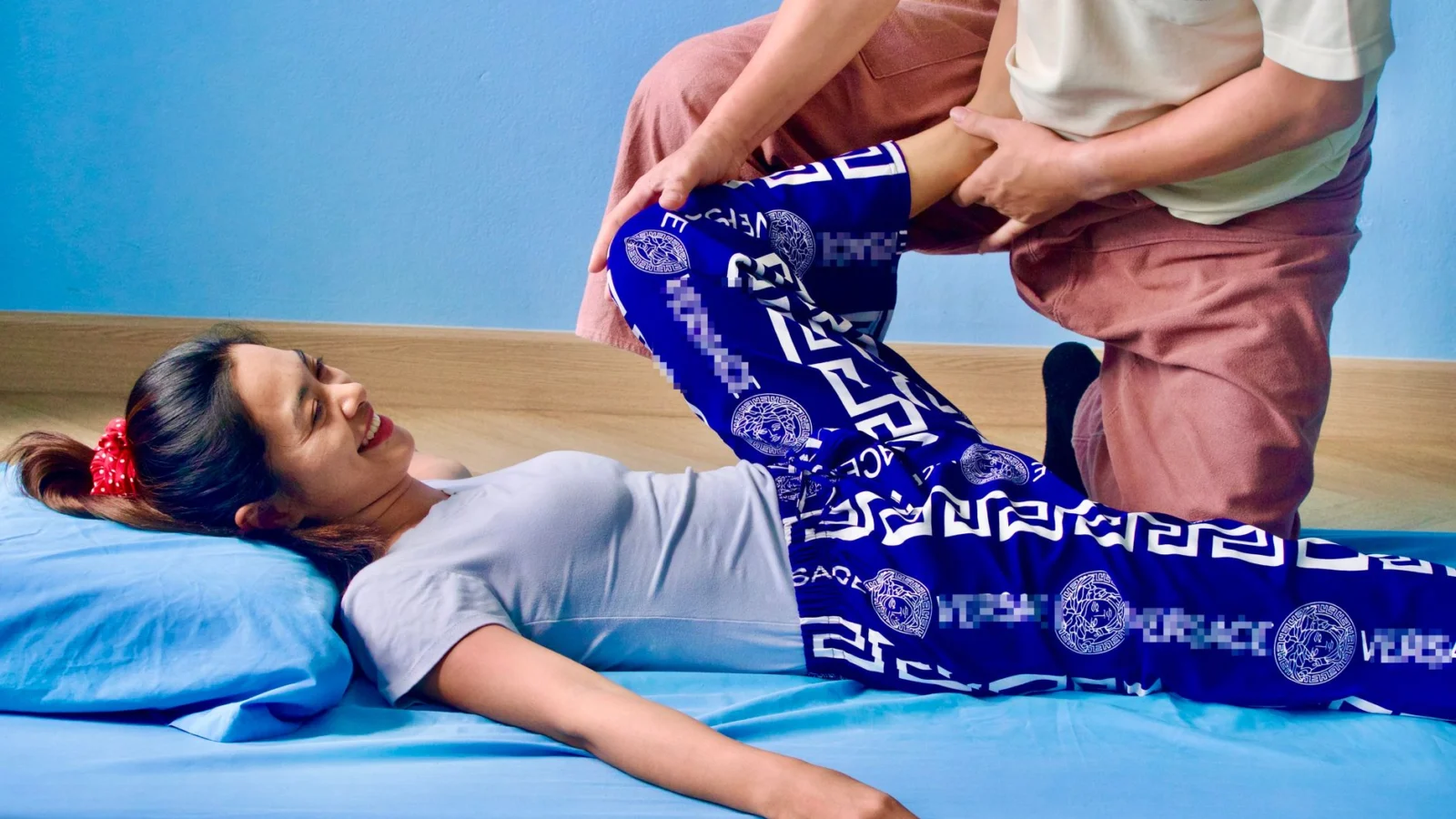
Tight hip flexors are responsible for more sitting-related back pain than most people realize. The iliopsoas muscle group connects your lumbar spine to your femur, and when it shortens from hours of sitting, it pulls your pelvis into an anterior tilt that forces your lower back into excessive extension. Stretching the hip flexors directly addresses this root cause rather than just treating the symptom in your back.
Half-kneeling hip flexor stretch: Kneel on your right knee with your left foot flat on the floor in front of you. Tuck your tailbone slightly under you and shift your weight forward until you feel a deep stretch at the front of your right hip. Hold 30 seconds. Switch sides. Do 2 rounds per side. The tailbone tuck is essential. Without it, you will arch your back instead of actually stretching the hip flexor.
Standing hip flexor stretch: Stand in a staggered stance with your right foot about two feet behind your left. Tuck your tailbone, squeeze your right glute, and shift your hips forward. You should feel a stretch at the front of your right hip and thigh. Hold 20 seconds per side. This version is easier to do in an office setting.
For more on morning mobility work that targets these exact muscles, the morning stretches for lower back pain guide includes a full sequence designed to prepare your body before the sitting starts.
Hamstring Stretches for Lower Back Relief
Your hamstrings connect to your pelvis at the ischial tuberosities (sit bones). When hamstrings tighten from prolonged sitting, they pull the pelvis into a posterior tilt, which flattens the natural lumbar curve and increases pressure on the lower spinal discs. This is the opposite problem from tight hip flexors, and many desk workers have both simultaneously, creating competing forces on the pelvis that the lower back must absorb.
Standing hamstring stretch: Place one foot on a low step or chair. Keep your standing leg slightly bent. Hinge forward from your hips with a flat back until you feel a stretch behind your raised thigh. Hold 20 seconds. 2 rounds per side. Do not round your back. The stretch should come from the hip hinge, not from curling forward.
Supine hamstring stretch: Lie on your back. Raise one leg toward the ceiling and loop a towel or belt around the ball of your foot. Gently pull your leg toward you while keeping it straight until you feel a comfortable stretch behind your thigh. Hold 20 to 30 seconds. Switch sides. This version removes any balance challenge and allows a more controlled, deeper stretch.
Research from workplace stretching programs shows that holding stretches for 15 to 30 seconds with 3 to 4 repetitions per muscle group, done daily, produces meaningful flexibility improvements within 4 to 6 weeks. The CDC workplace guidelines recommend 5 to 10 minute activity breaks with stretching to reduce the health risks of prolonged sitting.
Thoracic Spine Mobility: Stop the Upper Back Stiffness
Desk sitting does not only affect your lower back. Your thoracic spine (mid-back) locks into flexion when you hunch over a screen for hours. Reduced thoracic mobility forces the lumbar spine and neck to compensate for movements the mid-back should be handling. Restoring thoracic rotation and extension is one of the most effective ways to reduce both lower back and neck pain simultaneously.
Thoracic extension over a chair: Sit on the edge of your chair. Clasp your hands behind your head. Slowly lean backward over the top of the chair back, letting your mid-back extend over it. Hold 10 seconds. Repeat 5 times. This specifically targets the thoracic segments that desk work locks down and can be done every hour without leaving your workspace.
Thread the needle: Start on all fours. Reach your right arm under your body toward the left side, rotating your thoracic spine until your right shoulder touches or approaches the floor. Hold 15 seconds. Return and repeat 5 times per side. This stretch restores rotational mobility that sitting eliminates.
The anti-inflammatory morning routine for back pain includes additional thoracic mobility work that complements the stretches covered here, along with habits that reduce the inflammation component of chronic sitting pain.
Your 10-Minute Daily Stretching Routine for Desk Workers
Consistency matters more than duration. The NIH recommends holding stretches for 20 seconds with 3 repetitions before work, while the Mayo Clinic advises twice-daily sessions. Here is a practical 10-minute routine that covers every muscle group affected by sitting:
- Lower back rotational stretch (lying) – 5-10s hold, 3 reps per side (2 min)
- Half-kneeling hip flexor stretch – 30s hold, 2 reps per side (2 min)
- Standing hamstring stretch – 20s hold, 2 reps per side (80 sec)
- Thread the needle (thoracic rotation) – 15s hold, 5 reps per side (2.5 min)
- Seated figure-four stretch – 20s hold, 2 reps per side (80 sec)
- Executive stretch – 20s hold, 2 reps (40 sec)
Do this every morning before you sit at your desk. During the workday, add the seated rotation and cable stretch every 60 minutes. Workplace stretching programmes reduce neck, shoulder and lower back discomfort in the trials that have tested them, and the frequent short breaks do better than one long session.
Track your progress. Most people notice reduced morning stiffness within the first week and measurable pain reduction by week three. If pain persists beyond four weeks of consistent stretching, consult a physical therapist for an individualized assessment.
These stretches are the start of a programme, and the page on lower back pain exercises sets out what to add and the evidence that it works.
Ergonomic Tools Worth the Investment
Not every ergonomic product justifies its price, but a few genuinely do change outcomes for desk workers trying to find sustainable sitting positions for lower back pain.
A quality lumbar support cushion is the highest-value purchase for most people. Memory foam or adjustable-tension options that can be positioned precisely at your lumbar curve are more effective than the fixed lumbar support built into most mid-range office chairs.
A sit-stand desk converter or full sit-stand desk allows you to shift between positions throughout the day without leaving your workstation. The research supports alternating between sitting and standing as more effective than standing all day, which creates its own postural problems. A ratio of around 50 to 60 percent sitting and 40 to 50 percent standing is a reasonable target.
An ergonomic chair with adjustable seat height, tilt, armrests, and lumbar support is the foundation of a proper desk setup. You don’t need to spend thousands, but chairs with no adjustment capability make good posture very difficult to maintain for extended periods.
The CDC’s National Institute for Occupational Safety and Health recommends workstation ergonomics assessments as part of occupational health programs precisely because the evidence for their effectiveness in reducing musculoskeletal disorders, including lower back pain, is strong.
Sitting well is one half; moving is the other, and the page on lower back pain exercises sets out the moves and the evidence for them.
Frequently Asked Questions
What is the best sitting position for lower back pain at a desk?
The best sitting position for lower back pain combines active lumbar support, a slight forward seat tilt, and a hip angle between 90 and 110 degrees. This off-loading posture reduces disc pressure, restores lumbar lordosis, and lowers the effort required from your paraspinal muscles compared to conventional upright sitting. Your feet should rest flat on the floor or on a footrest, and your knees should be at roughly a 90-degree angle. Keeping the screen at eye level and the keyboard close enough to avoid reaching forward completes the position. This isn’t about sitting rigidly, it’s about creating a neutral, supported position your spine can sustain for longer periods without fatigue.
Is it better to sit or stand with lower back pain?
Neither sitting nor standing all day is ideal for lower back pain. The most effective strategy is alternating between the two. The Take-a-Stand Project found that reducing sitting time by around 66 minutes a day through a sit-stand desk cut upper back and neck pain by more than half. However, standing for hours without movement creates its own strain on the hips, knees, and lower back. The goal is variation: sit for 20 to 30 minutes, stand briefly, move, then return to sitting. A sit-stand desk makes this easier, but scheduled standing breaks achieve the same result without special equipment.
How should I sit at a desk if I have sciatica?
If you have sciatica, your priority is avoiding positions that compress or irritate the sciatic nerve along its path through the lower back and hip. Don’t sit with a wallet or phone in your back pocket, as this creates pelvic asymmetry. Avoid crossing your legs. Use a lumbar support to maintain your spine’s natural curve, and consider a slight recline of 100 to 110 degrees rather than a strict upright posture. A coccyx cutout cushion can relieve pressure if one side of the seat is particularly uncomfortable. Taking regular movement breaks is especially important, as prolonged sitting is one of the main aggravators of sciatic pain.
If symptoms are severe or new, see a healthcare provider before relying solely on postural adjustments.
Can sitting position actually cause lower back pain?
Yes, sitting position is one of the most consistently documented drivers of lower back pain in desk workers. Research shows that poor sitting posture was linked to lower back pain in every study that directly tested it. The mechanism is well understood: slumped or forward-leaning postures flatten the lumbar curve, increase disc pressure, and overload the small muscles and ligaments that support the spine. Over time, this cumulative load leads to inflammation, muscle fatigue, and the kind of chronic low-grade pain that many desk workers accept as normal but doesn’t have to be. Correcting your sitting position doesn’t guarantee instant pain relief, but it significantly reduces the mechanical load that’s sustaining the pain cycle.
How often should I take breaks from sitting to protect my lower back?
The research suggests taking a 1 to 2 minute movement break every 20 to 30 minutes of sitting for optimal spinal health. At minimum, avoid sitting continuously for more than 2 hours. The type of break matters too: simply shifting your weight or standing briefly counts, but a short walk or a few stretches is more effective. Setting a phone or computer timer is the most reliable way to build this habit. You can also use reminders built into apps like Stretchly or your smartwatch’s inactivity alerts. Over time, awareness of your body’s own signals, that creeping stiffness in the lumbar region, becomes a reliable natural reminder to get up and move.
How often should I do stretches for back pain from sitting?
The Mayo Clinic recommends stretching twice daily, morning and evening, for sitting-related back pain. During the workday, adding brief stretches every 60 minutes produces the best results. Frequent short breaks do better than one long session in the workplace trials. The key is frequency and consistency rather than long single sessions. A 10-minute morning routine combined with 1 to 2 minute desk stretches every hour throughout the day addresses both prevention and active relief.
Can stretching alone fix back pain from sitting all day?
Stretching addresses the flexibility and mobility component of sitting-related back pain, but it works best when combined with strengthening exercises and ergonomic adjustments. Tight muscles need to be lengthened through stretching, but weak stabilizing muscles (multifidus, transversus abdominis) also need to be strengthened to support the spine during prolonged sitting. The NIH and Mayo Clinic both recommend combining stretches with core strengthening exercises done at least 2 days per week for optimal lower back pain management.
Which stretch is best for immediate lower back pain relief at a desk?
The seated lower back rotation is the fastest way to relieve acute lower back tightness while sitting. Cross one leg over the other, twist your torso toward the raised knee using the opposite elbow for leverage, and hold for 10 seconds. This targets the lumbar rotators that stiffen most during sustained sitting postures. For deeper relief, the executive stretch (hands behind head, lean back over chair) extends the thoracic spine and decompresses the lower back simultaneously. Both can be done without leaving your chair.
Conclusion
Lower back pain at a desk isn’t inevitable. It’s largely the result of sitting in positions that work against your spine’s natural design, staying static for too long, and working in setups that make good posture hard to maintain. The research behind these problems is strong, and so is the evidence for the fixes.
Start with the fundamentals: get a lumbar support, adjust your seat height and tilt, bring your screen to eye level, and set a timer for movement breaks every 30 minutes. These changes don’t require expensive equipment or a complete office overhaul. Many of them can be implemented today.
If you’re already dealing with significant back pain, consider reading our guides on relieving lower back pain while sleeping, understanding the most common causes of back pain and how to treat them, and learning how to distinguish mechanical back pain from more serious conditions that need professional care. Building awareness across all these dimensions gives you the best foundation for lasting relief.
Small, consistent adjustments to how you sit and how often you move add up to a meaningful reduction in pain over weeks and months. Your back is built for movement, not stillness. Give it what it needs.
Medical Disclaimer: This content is for informational purposes only and does not constitute medical advice. Consult a qualified healthcare provider before making any health decisions.
Related Articles
- How to Fix Lower Back Pain from Deadlifts: Recovery and Prevention
- How to Relieve Back Pain from Standing All Day at Work
- Best Morning Stretches for Easing Lower Back Pain
Sources
- NIH. Back Pain Symptoms, Types, & Causes | NIAMS.
- CDC. CDC's National Institute for Occupational Safety and Health.
- PubMed, NIH. Reducing occupational sitting time and improving worker health: the Take-a-Stand Project, 2011.
- Mayo Clinic. Mayo Clinic.
- MedlinePlus, NIH. Back Pain.
- CDC. CDC workplace guidelines.